Categorising Ideas
Reading multiple resources like papers and blogs is needed for understanding the concept and to have an all-rounder view of the subject.
However one cannot always remember the resources they learn, or may forget how to get back to the resource that you learnt once, breaking the flow of your learning.
Andy Stapleton provides a simple guide on organizing your notes, be it for school or for even PhD scholar writing their thesis

Medium Used - PowerPoint Presentation
Powerpoint presentation programs (like Google slides, MD powerpoint, Canva) offer a unique way of switching through the slides, which makes it easier for going Through, rather than scrolling.
Template Used
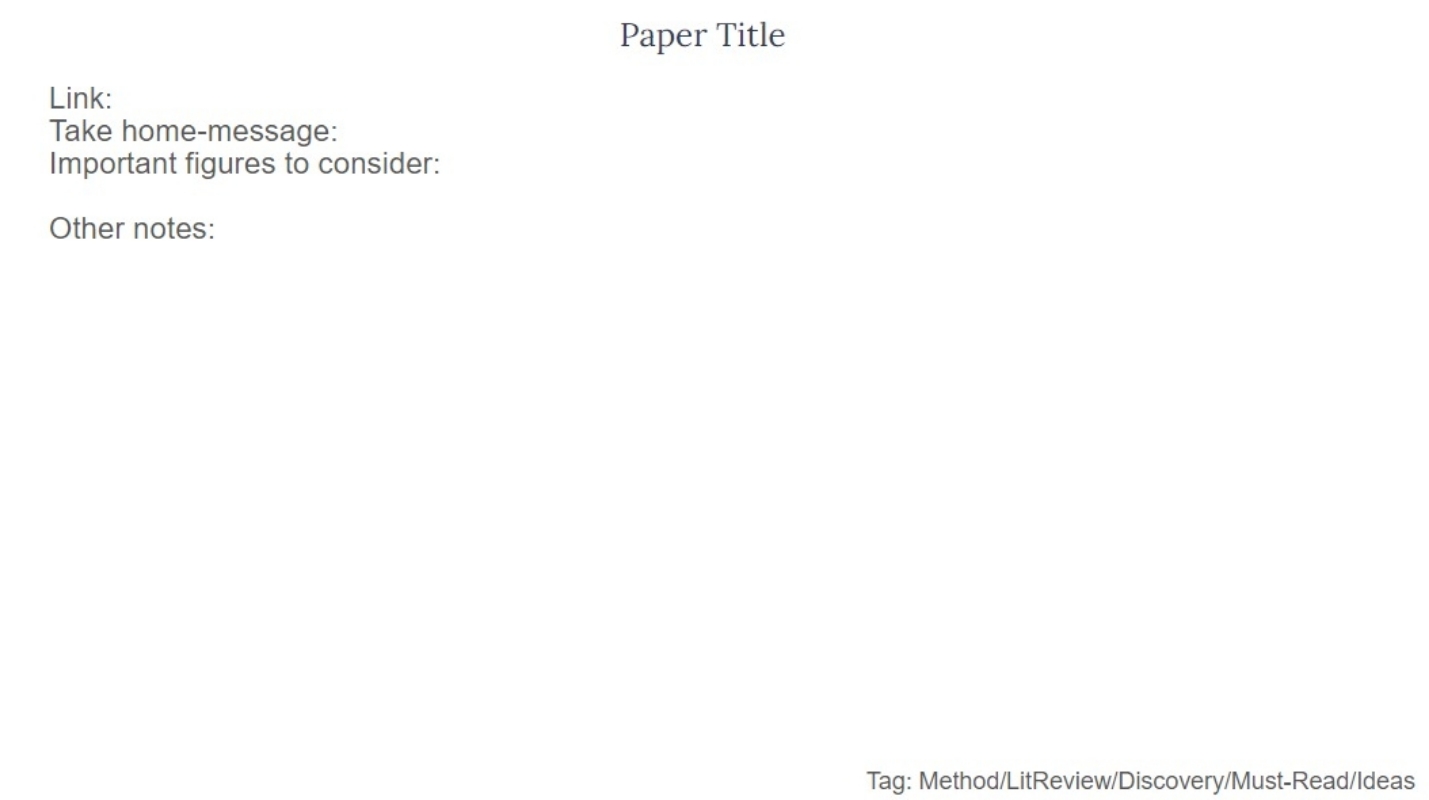
The template used(refer to the image) has 6 parts :
- Title : The title refers to the title of the paper, or the concept you want to learn.
- Link : Here you can add the link to the reference so that you can get back to the source for further reading or cross-checking
- Take -home message : This contains the entire idea of the resource that you've read through. It maybe the combined idea of the abstract and the conclusion of the paper you've read (if it's a scientific paper)
- Other notes : This is where you add your opinion on the resources, be it a research gap, or ideas you can connect with, etc.

Images And Tages
The second half of the template comprises the Important figures to consider and the Tags. The former can be anything from the illustrations and tables you've found from the paper, or maybe a concept map you've made on your own .
The Tags form the most important part of the template making it easier to the article you want. Here, the tags are Method/Must-Read/Discovery/Lit-Review/Idea.
While the rest tags are self-explanatory by itself, method means the paper contains the method that you'd like to perform in your research, and Lit-Review means that the paper is a literature review.

Take Home Message
This template provides a basic idea on how one can categorize their notes and resources. One is always free to customise the tags or other sub-headings specific to their needs and purpose.